Joemar Camenzuli, home

No. 06/10 · Game · Mobile RPG, portrait first

Astra Tactics: Crystal Vale

Portrait mobile tactics RPG: state-driven turn-based battles, hero collection, summons and progression.

Engine
Unity 6 (URP 2D, C#)

No. 06/10Game

Astra Tactics: Crystal ValeAstra Tactics: Crystal Vale
Mobile RPG, portrait first

Engine
Unity 6 (URP 2D, C#)
Built
State-driven turn-based battles with player and enemy turns

Joemar Camenzuli · Set of 10

No. 06/10 · Back

Astra Tactics: Crystal Vale

What I built

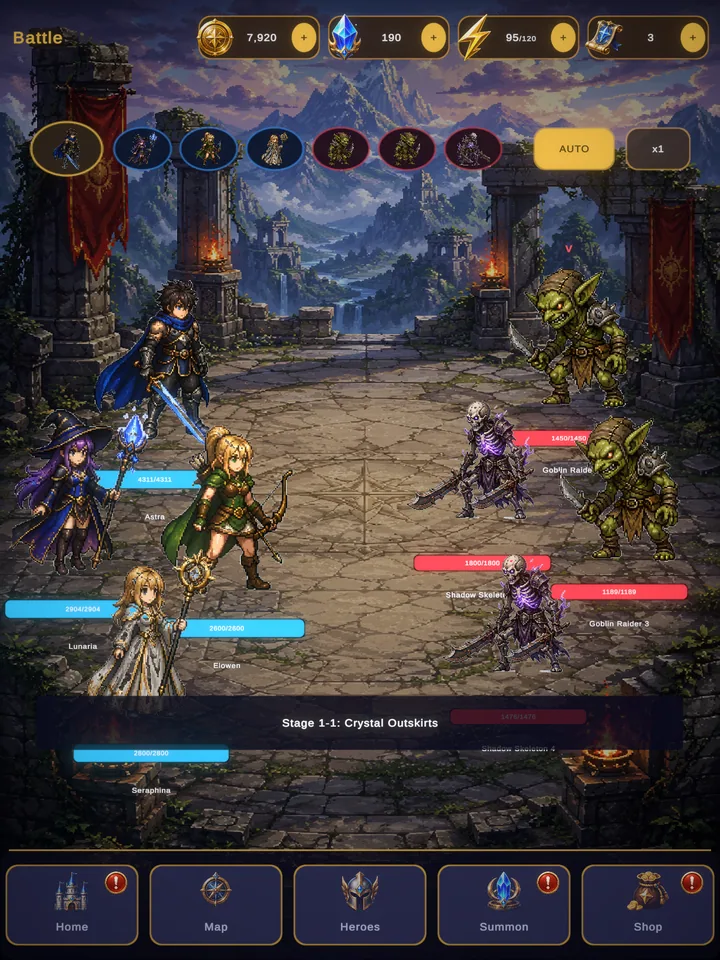
  1. State-driven turn-based battles with player and enemy turns
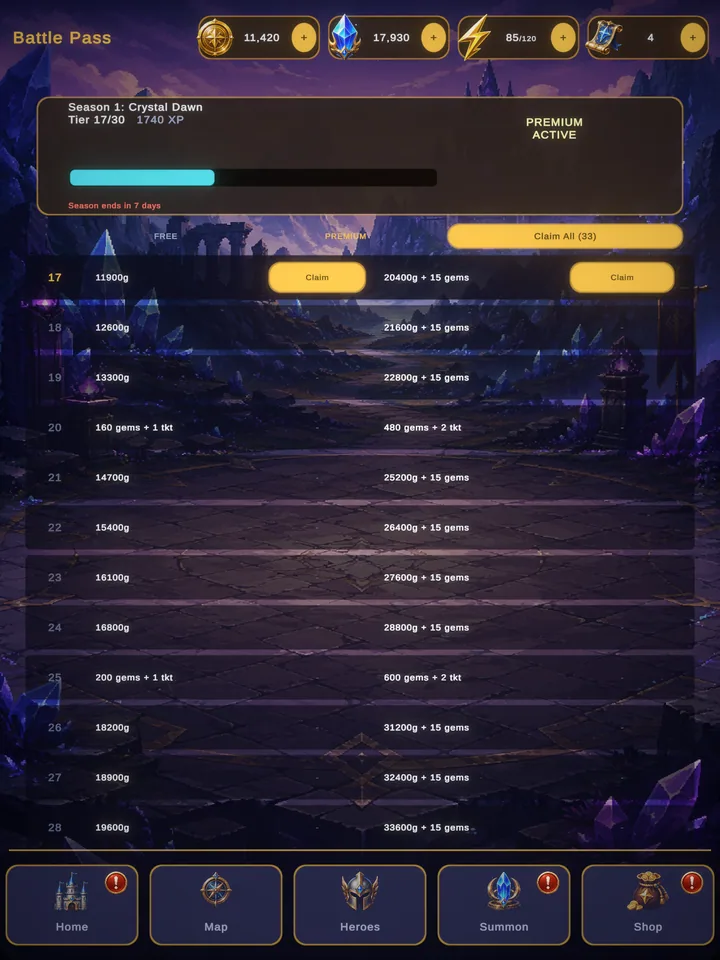
  2. Special attacks, defending, critical hits and items
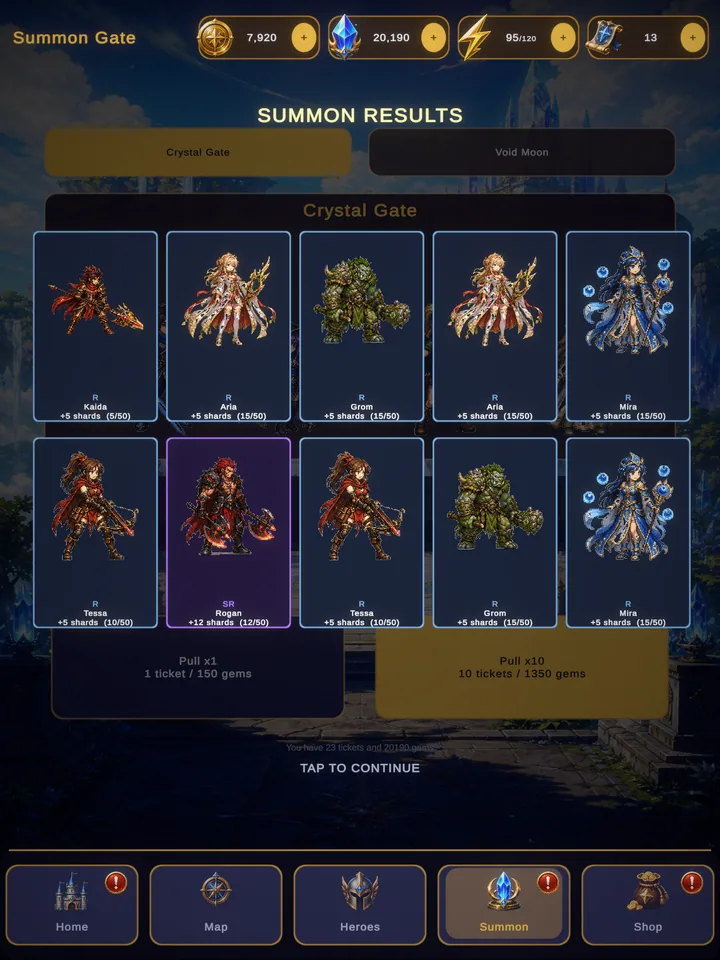
  3. Hero collection with summons and a results screen
  4. Character progression and a battle pass
Engine
Unity 6 (URP 2D, C#)
Open the project
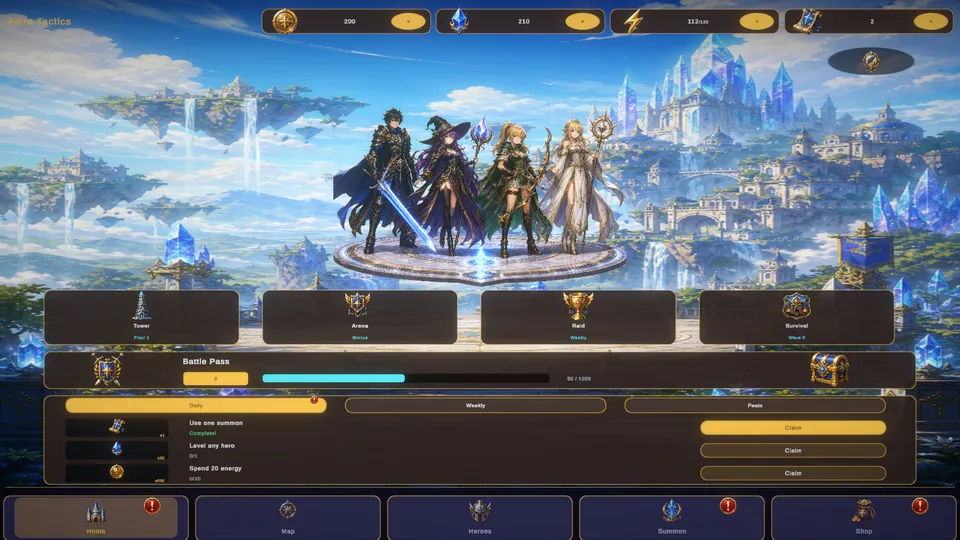
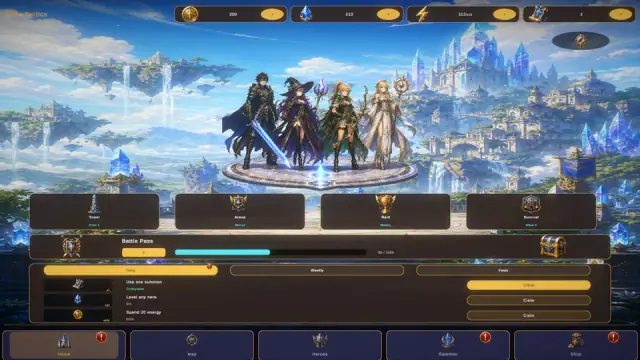
Astra Tactics home screen: four fantasy heroes on a crystal dais above floating islands, with Tower, Arena, Raid and Survival modes and the battle pass below.

What I built

  1. State-driven turn-based battles with player and enemy turns
  2. Special attacks, defending, critical hits and items
  3. Hero collection with summons and a results screen
  4. Character progression and a battle pass
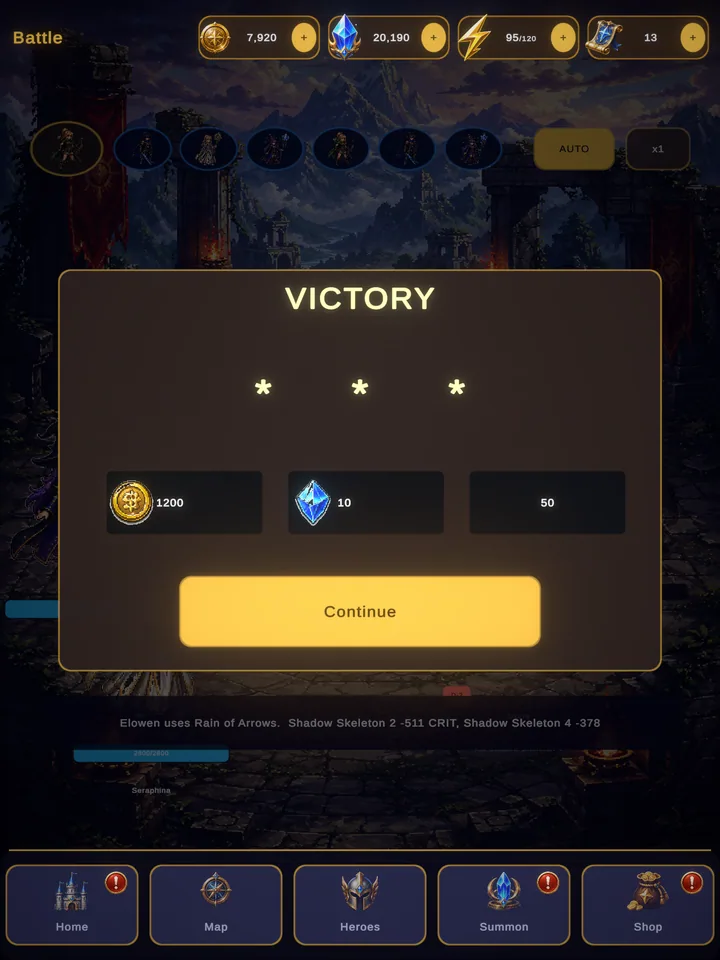
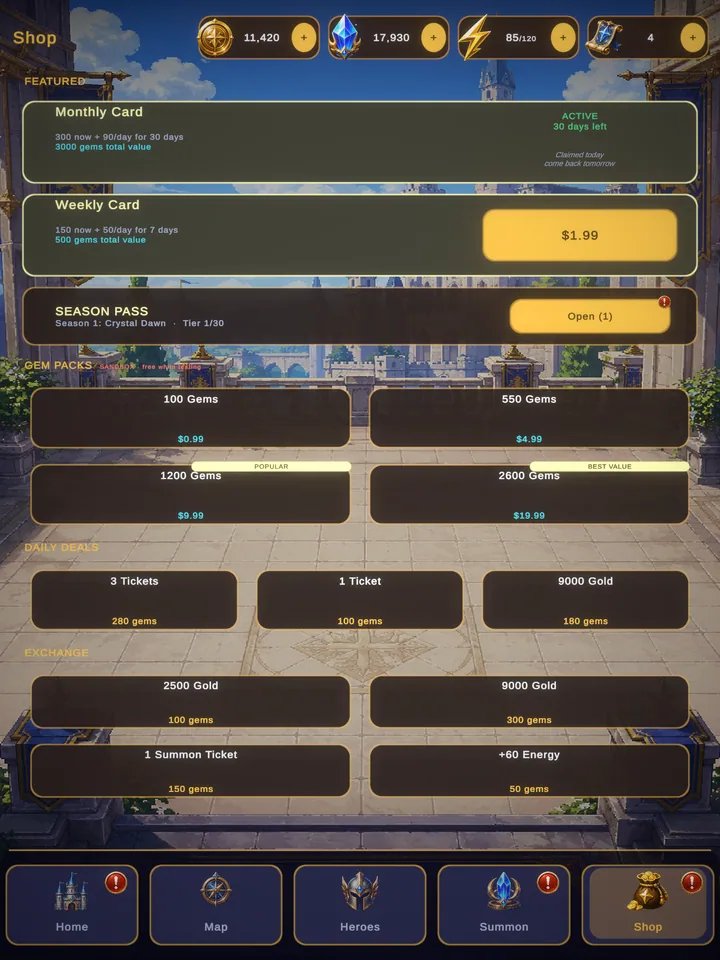
  5. Portrait-first mobile UI: home, shop, daily rewards and victory screens

Systems

Battle turn loopState machine
Battle turn loop: state machine diagram 7 states: PlayerSelect, PlayerResolve, EnemySelect, EnemyResolve, Check, Victory, Defeat. Starts at PlayerSelect. Ends at Victory or Defeat. 7 transitions, listed below.PlayerSelectPlayerResolveEnemySelectEnemyResolveCheckVictoryDefeatactionchosenturn endsmovechosenturn endsnext roundenemy defeatedplayer defeated Battle turn loop: state machine diagram 7 states: PlayerSelect, PlayerResolve, EnemySelect, EnemyResolve, Check, Victory, Defeat. Starts at PlayerSelect. Ends at Victory or Defeat. 7 transitions, listed below.PlayerSelectPlayerResolveEnemySelectEnemyResolveCheckVictoryDefeataction chosenturn endsmove chosenturn endsenemy defeatedplayer defeatednext round

Battle turn loop transitions. 7 states: PlayerSelect, PlayerResolve, EnemySelect, EnemyResolve, Check, Victory, Defeat. Starts at PlayerSelect. Ends at Victory or Defeat. 7 transitions, listed below.

  • From PlayerSelect to PlayerResolve when: action chosen.
  • From PlayerResolve to EnemySelect when: turn ends.
  • From EnemySelect to EnemyResolve when: move chosen.
  • From EnemyResolve to Check when: turn ends.
  • From Check to PlayerSelect when: next round.
  • From Check to Victory when: enemy defeated.
  • From Check to Defeat when: player defeated.

AI tools were used as assistants for concept art and parts of development.

The deck

0 of 10 collected

Face-down cards are still open: flip any card to see it.

Contact

Email is the quickest way to reach me. Open to game & software developer roles.

Motion and text size

Motion

Reduced turns off fades and other animation. Follows your system setting until you choose.

Text size

Scales all text and the layout with it.

Keyboard shortcuts

Single-key shortcuts such as C for the CV and M for contact.

Deck

The project cards you have collected on this site.

Saved in this browser only.

Keyboard shortcuts

C
Open my CV (PDF) in a new tab
M
Contact
D
Open the deck of project cards
J
Next chapter on the home page
K
Previous chapter on the home page
?
Show these shortcuts
Esc
Close the open dialog

Shortcuts never fire while you are typing in a field. Shortcuts are on.